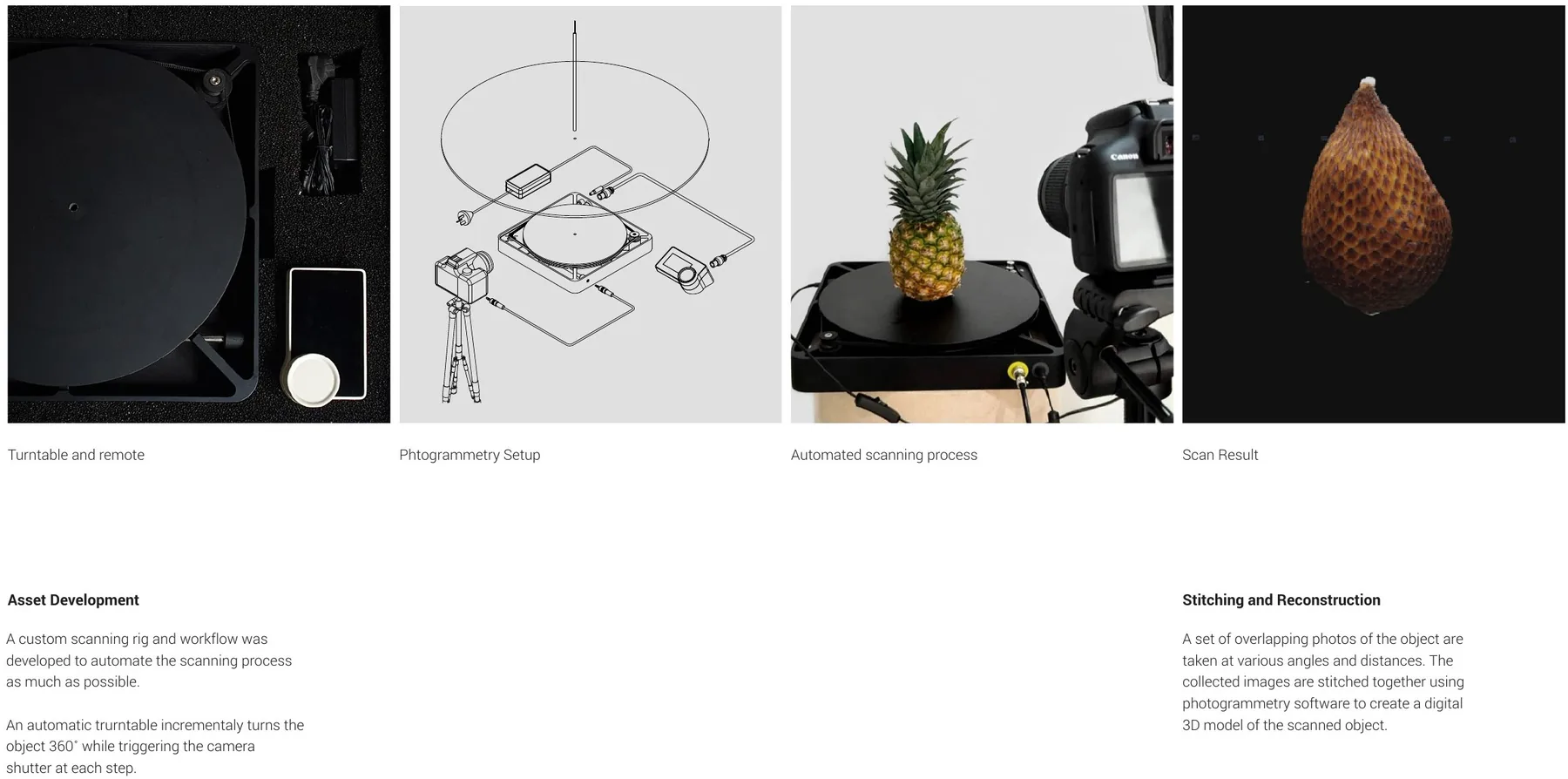
Asset Development
A custom scanning rig and workflow was developed to automate the scanning process as much as possible.
An automatic turntable incrementally turns the object 360˚ while triggering the camera shutter at each step.
Stitching and Reconstruction
A set of overlapping photos of the object are taken at various angles and distances. The collected images are stitched together using photogrammetry software to create a digital 3D model of the scanned object.
Explore
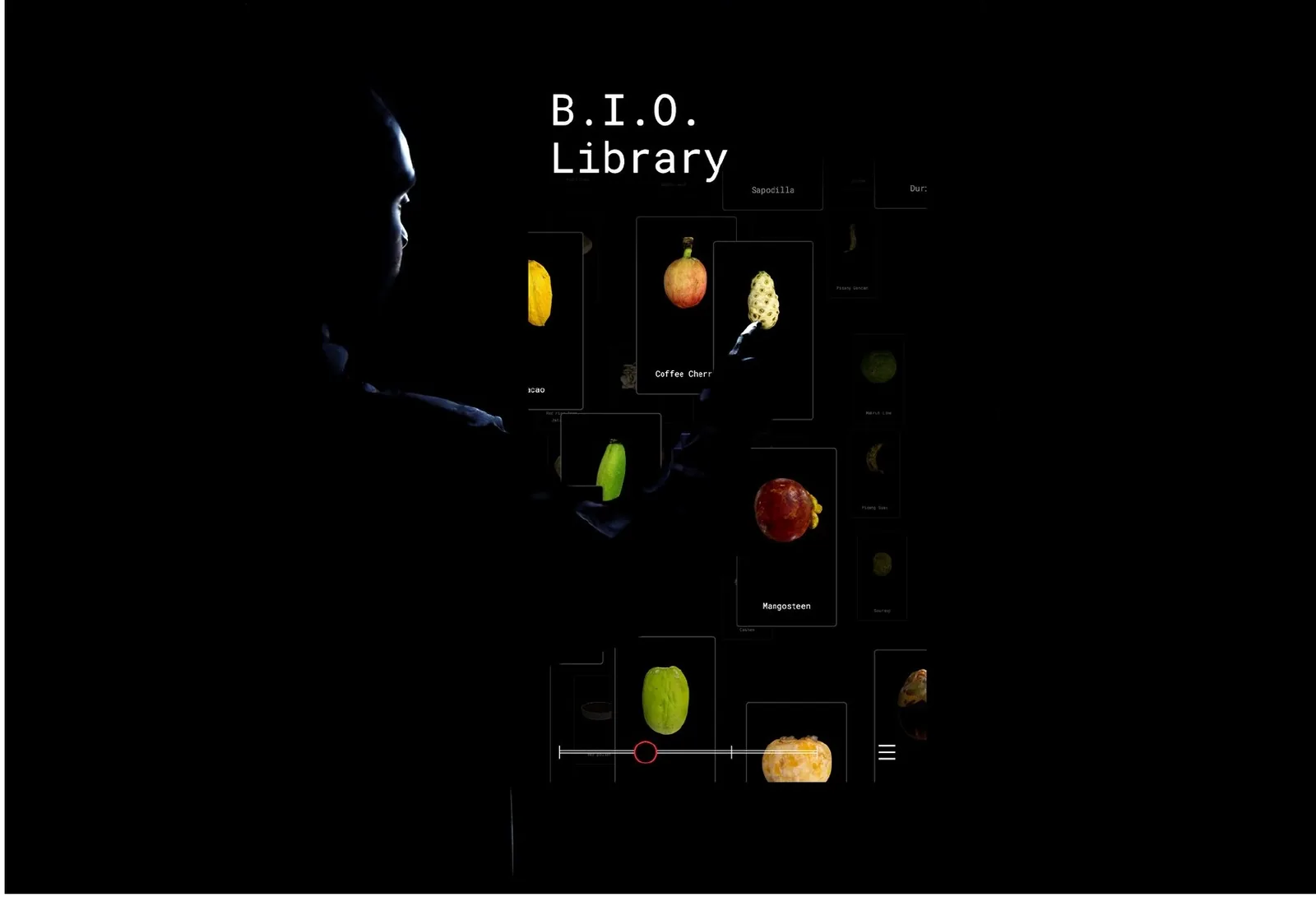
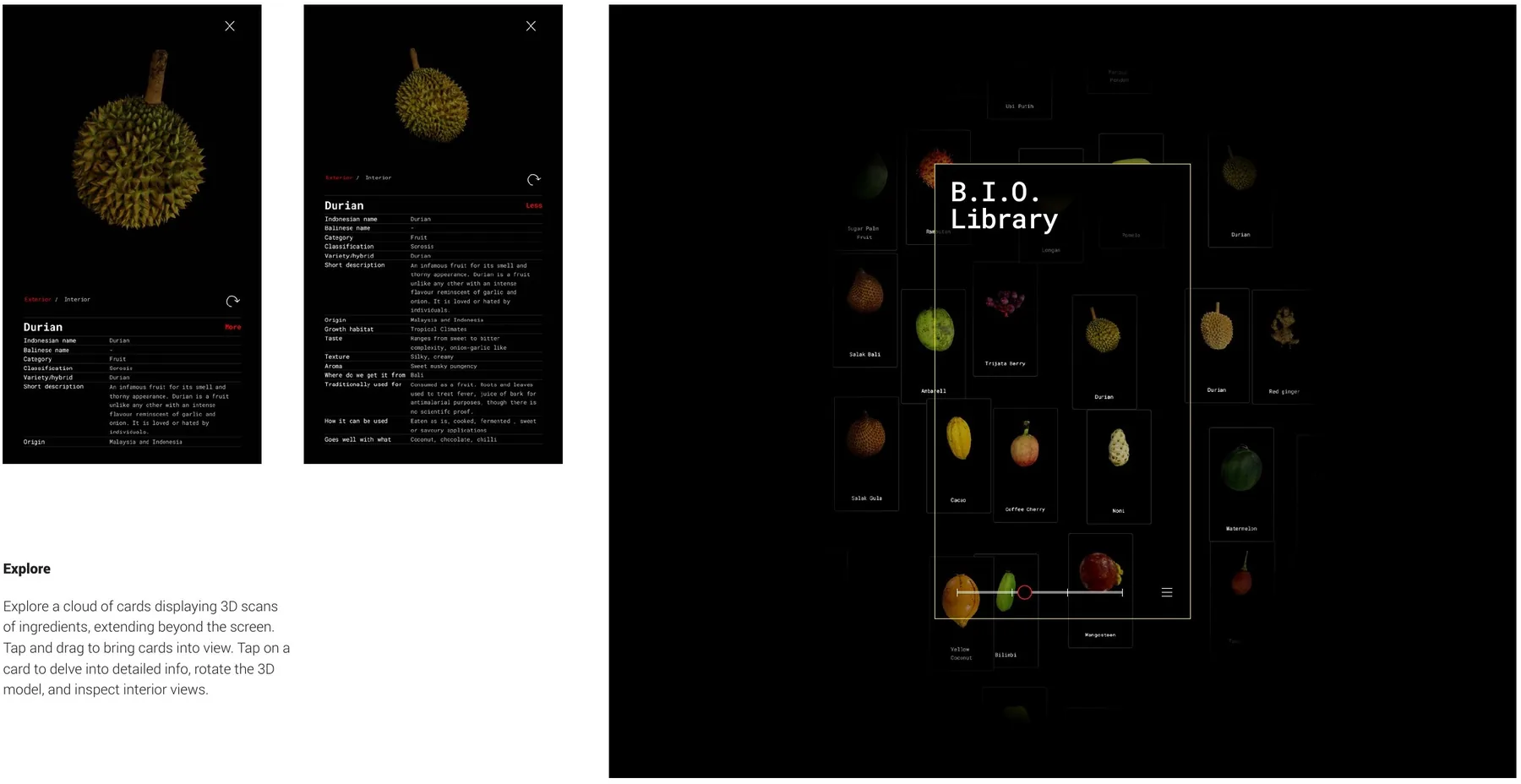
Explore a cloud of cards displaying 3D scans of ingredients, extending beyond the screen. Tap and drag to bring cards into view. Tap on a card to delve into detailed info, rotate the 3D model, and inspect interior views.
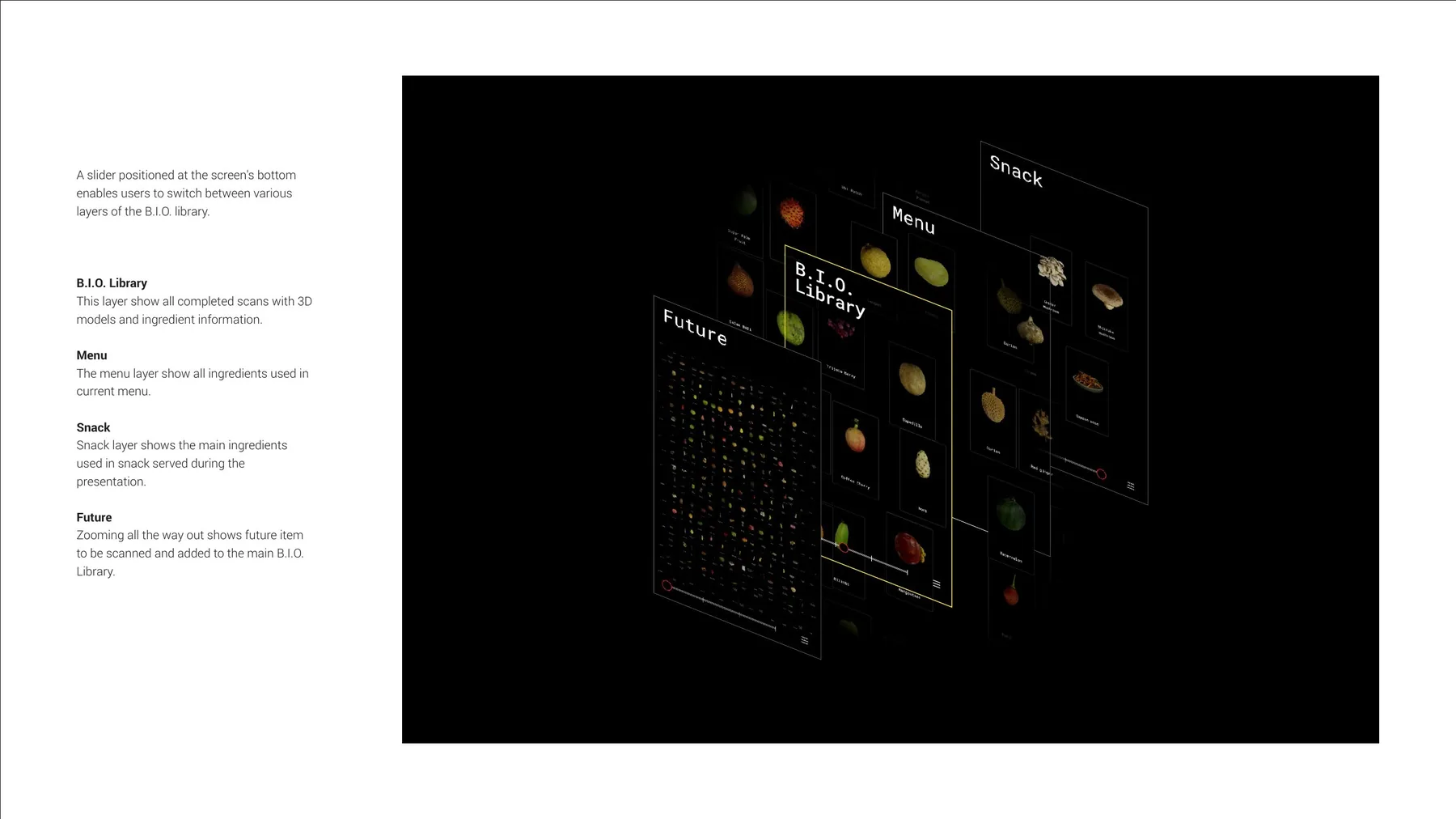
A slider positioned at the screen’s bottom enables users to switch between various layers of the B.I.O. library.
- B.I.O. Library — this layer shows all completed scans with 3D models and ingredient information.
- Menu — the menu layer shows all ingredients used in the current menu.
- Snack — snack layer shows the main ingredients used in snacks served during the presentation.
- Future — zooming all the way out shows future items to be scanned and added to the main B.I.O. Library.